
Screaming Frog SEO Spider v24 MCP: What We Learned Testing It in Cursor
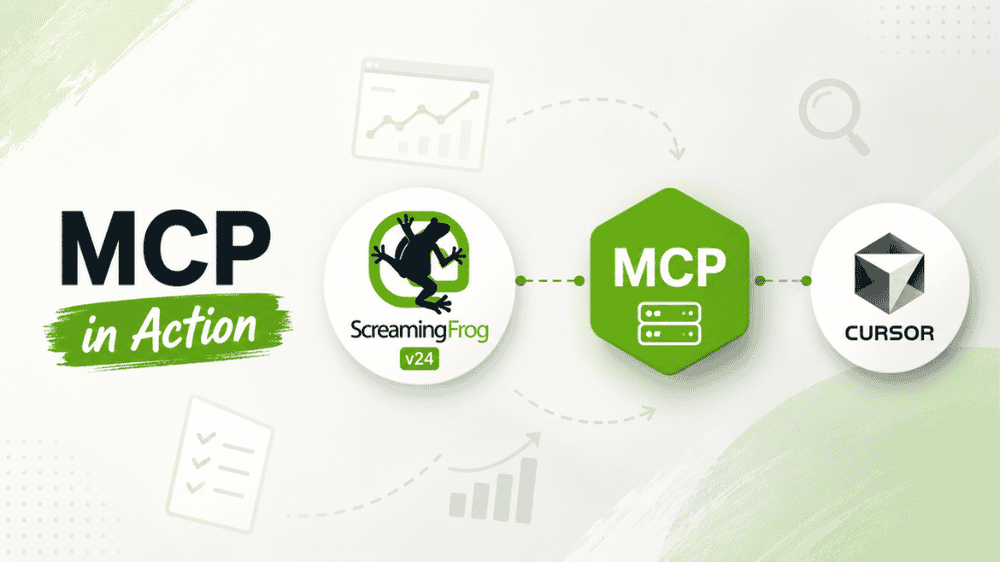
Screaming Frog SEO Spider v24 introduces one of the most interesting workflow changes we’ve seen in technical SEO tooling this year: a built-in MCP server.
That means AI assistants such as Cursor and Claude can talk directly to the SEO Spider, start crawls, check progress, generate reports, and export data without you manually clicking through the desktop interface for every step.
We tested the new MCP workflow first-hand in Cursor IDE on a live crawl of Boar Blanket, a client site, on May 19, 2026. The short version: it works, it is genuinely useful, and it is not magic. It can save time, improve documentation, and make audit workflows more repeatable — but it still requires technical SEO judgment, a running Spider instance, and some awareness of tool limitations.
Screaming Frog’s official v24 announcement is here: SEO Spider v24.0 release notes. Their official MCP setup documentation is here: Screaming Frog MCP Server user guide.
Suggested pull quote: Screaming Frog’s MCP server does not replace technical SEO judgment. It removes friction between investigation, evidence collection, and reporting.
What Changed in Screaming Frog SEO Spider v24?
Screaming Frog SEO Spider has always been a power tool for technical SEOs. Version 24 adds something different: a built-in MCP server that allows compatible AI tools to interact with the Spider.
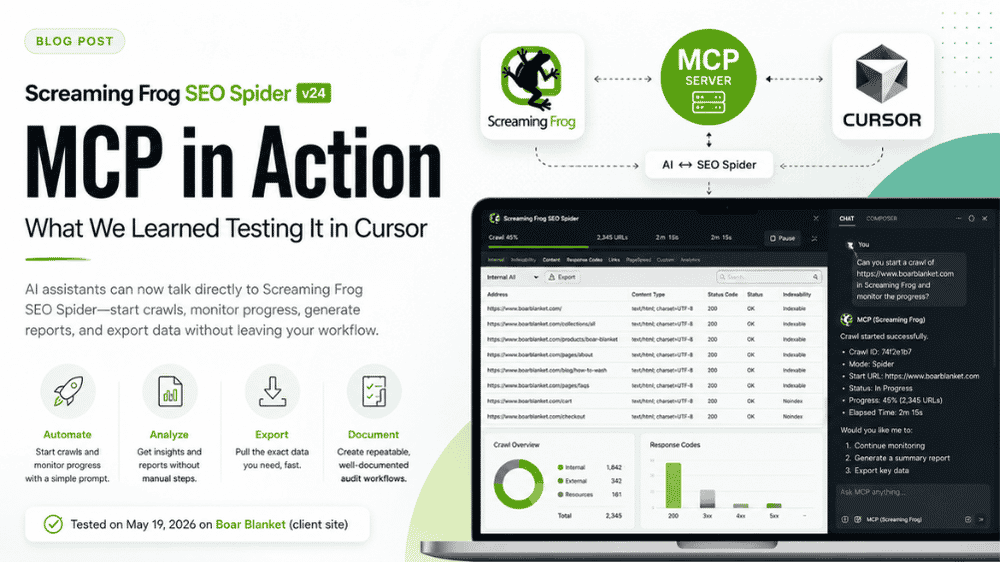
Instead of using Screaming Frog only through the desktop GUI, we can now connect an AI assistant and ask it to perform supported actions. In our Cursor test, we started a crawl, monitored progress, generated reports, and saved CSV evidence directly into a client repository — all from chat.
That matters because modern SEO audits are increasingly part analysis, part data engineering, and part documentation. We are not just finding issues. We are preserving evidence, comparing states, writing tickets, and making decisions across crawls, codebases, analytics platforms, and AI-assisted workflows.
MCP gives Screaming Frog a practical bridge into that environment.
What Is MCP?
MCP stands for Model Context Protocol. In plain English, it is a standard way for AI assistants to connect to external tools and data sources.
For Screaming Frog, MCP lets an assistant such as Cursor call supported SEO Spider tools through a local server. The Spider still runs on your machine, but your AI assistant can ask it to perform actions and retrieve structured results.
Think of it as a controlled interface between your AI workspace and your crawl software — not a replacement for the Spider, and not a fully autonomous SEO auditor.
How We Set Up Screaming Frog v24 MCP in Cursor
Our test environment used:
- Screaming Frog SEO Spider v24
- Cursor IDE
- A workspace-level
.cursor/mcp.json - Local MCP endpoint:
http://127.0.0.1:11435/mcp - Server key:
sf
The server key detail is important. In Cursor, MCP server naming affects generated tool names. We found that the key needs to be short and simple. We used "sf".
Hyphens caused problems with tool naming, and Cursor appears to have a roughly 60-character combined tool name limit. Long server names can make generated tools unusable or unavailable. Using a short server key produced clean tool names such as sf_crawl.
Here is the basic workspace configuration pattern we used:
{

"mcpServers": {

"sf": {

"url": "http://127.0.0.1:11435/mcp"

}

}

}
Setup Steps
At a high level, our setup looked like this:
- Update Screaming Frog SEO Spider to v24.
- Enable the built-in MCP server in the Spider configuration, following Screaming Frog’s official MCP Server guide.
- Confirm the local MCP server is available at
http://127.0.0.1:11435/mcp. - Add a workspace
.cursor/mcp.jsonfile. - Use a short MCP server key such as
"sf". - Restart or refresh Cursor’s MCP tools.
- Verify that Screaming Frog tools appear in Cursor.
- Keep the SEO Spider application open while using MCP.
Once connected, Cursor could call Screaming Frog MCP tools from chat.
What You Can Do From Chat
We tested a focused set of practical actions rather than trying to exhaust every possible capability. In Cursor, connected to Screaming Frog v24 MCP, we were able to:
- Start a crawl from chat.
- Check crawl progress.
- Generate reports.
- Export report data as inline CSV.
- Save evidence files into a client repository.
- Coordinate crawl output with audit notes and documentation.
The official Screaming Frog documentation also references using MCP beyond chat-only interactions, including script-based workflows such as Node.js examples. That matters for agencies and technical teams because it points toward repeatable audit automation, not just one-off prompts.
For example, an agency could eventually standardize parts of its QA process around:
- Starting a crawl.
- Waiting for completion.
- Exporting standard reports.
- Saving evidence files.
- Creating structured notes for a human reviewer.
We would still keep a human technical SEO in the loop, but the repetitive collection and documentation work becomes easier to systematize.
Our Real Workflow: Boar Blanket Test Crawl
For our first-hand test, we crawled boarblanket.com on May 19, 2026.
This was not a theoretical demo. We used Cursor IDE connected to Screaming Frog SEO Spider v24 via MCP, started the crawl from chat, monitored it, and exported evidence files into the client repo.
Starting the Crawl From Cursor
The most immediate “this is different” moment came when we started the crawl without clicking Start in the Screaming Frog GUI.
From Cursor, we invoked the MCP crawl tool:
sf_crawl
Because our MCP server key was "sf", Cursor exposed the crawl action as sf_crawl.
The Spider desktop app still needed to be open, but we did not have to manually operate the main crawl controls for this step. Cursor sent the instruction through MCP and the crawl began.
Crawl Size and Duration
The Boar Blanket crawl discovered roughly 973 URLs and took about 13 minutes to reach 100% queue completion.
That “queue completion” phrase matters. In Screaming Frog, especially when connected APIs are enabled, the URL crawl may finish before all downstream processing is complete.
In our configuration, connected APIs included PageSpeed and OpenAI integrations inside the Spider config. After the URL crawl completed, those integrations could still be processing. During that second phase, MCP export actions could return a busy-state response because the SEO Spider was still occupied.
This created a two-phase workflow:
- URL crawl phase — URLs are discovered and crawled.
- Connected API / post-processing phase — PageSpeed and OpenAI integration tasks may continue running.
From an audit process standpoint, that distinction is important. If you ask Cursor to export immediately after the crawl queue hits 100%, you may still get blocked by the Spider’s internal busy state.
Reports We Successfully Exported
We successfully used sf_generate_report to export report data with inline CSV.
The two reports we exported and saved into the client repository were:
crawl_overviewissues_overview
This was one of the strongest parts of the workflow. Instead of taking screenshots, manually exporting files, or copying summary data into a doc, we could preserve CSV evidence directly inside the working repo.
For agency work, that is valuable. It makes audit claims easier to substantiate. It also creates a cleaner trail between crawl data, recommendations, and implementation tickets.
Example Findings From the Crawl
This was not intended to be a full public audit of Boar Blanket, but a few high-level crawl observations illustrate the kind of data we were able to capture:
- 215 internal HTML pages.
- Mixed content detected on 174 pages.
- 15 internal 4xx URLs.
- 30 noindex URLs.
Those examples are useful because they show the practical audit value of MCP-enabled exports. Cursor did not “do the audit” for us. It helped us collect, organize, and preserve the evidence we would use in an audit.
A human SEO still needs to interpret whether those issues matter, which URLs should be prioritized, whether noindex tags are intentional, and how fixes should be scoped.
Lessons Learned and Gotchas
The MCP workflow is promising, but there are several practical details technical SEOs should know before relying on it in production.
1. The SEO Spider Can Be “Busy” After the Crawl Looks Done
The biggest operational gotcha was the busy state.
After the crawl reached 100% queue completion, exports were not always immediately available. Because connected APIs were still running, Screaming Frog could respond that the SEO Spider was busy.
In our case, PageSpeed and OpenAI integrations configured inside Spider continued processing after URL discovery and crawl completion. That blocked exports temporarily.
The lesson: do not assume that 100% queue completion means every report is export-ready.
For workflows that depend on exports, build in a verification step. Ask for status, wait for connected API processing to finish, then export.
2. An Open Settings Dialog Blocks MCP Tools
We also found that leaving a settings dialog open in Screaming Frog can block MCP tool execution.
When the Spider settings dialog was open, MCP tools could fail with an IllegalStateException.
This is a very desktop-app kind of issue, and it makes sense once you see it: the application is waiting for a modal interaction, so external tool calls cannot proceed normally.
The fix is simple: close settings and modal dialogs before running MCP actions from Cursor.
But it is easy to miss if you are bouncing between the Spider UI and Cursor chat.
3. Cursor MCP Naming Requires Short, Clean Server Keys
Our recommendation: use a short server key such as "sf".
We used:
{

"mcpServers": {

"sf": {

"url": "http://127.0.0.1:11435/mcp"

}

}

}
This produced usable tool names like sf_crawl.
Long names created problems due to Cursor’s MCP naming constraints. Hyphens broke tools, and the combined generated name appears to have an approximate 60-character limit.
This is not a Screaming Frog issue as much as an integration ergonomics issue, but it matters. If tools are not appearing or are behaving strangely in Cursor, simplify your MCP server key first.
4. MCP Exports Are Useful, But Not Every Export Path Is Covered
We successfully generated reports via sf_generate_report, including inline CSV for crawl_overview and issues_overview.
However, not every Screaming Frog export workflow is available through MCP in the same way you might use it in the desktop UI.
In our test, the bulk export category "All" was not supported via MCP. Full tab exports still needed to be handled through the Spider UI’s bulk export functionality.
That is not a dealbreaker, but it affects how you design workflows. Use MCP for supported reports and evidence capture. Use the full Spider interface where you need mature bulk export coverage.
5. CSV Evidence Is a Big Win for Audit Work
One of the most practical benefits was not “AI analysis.” It was evidence management.
Technical SEO audits often suffer from a documentation gap:
- The crawler has the data.
- The audit doc has the recommendation.
- The project management ticket has the implementation request.
- The evidence gets lost somewhere in between.
With MCP-connected exports, we could save crawl overview and issues overview CSVs directly into the client repo. That makes it easier to maintain a clean audit trail.
For AGT, this is one of the strongest use cases: not replacing expert review, but tightening the chain from discovery to evidence to recommendation.
What This Is Not
It is worth being explicit about the limitations.
It Does Not Replace SEO Judgment
Cursor can help operate the tool and organize outputs. It cannot determine business priority, technical tradeoffs, or search impact on its own.
For example, “30 noindex URLs” is not automatically a problem. Some may be intentionally excluded. Others may represent accidental deindexing of valuable pages. The crawler can identify the condition; an SEO has to interpret it.
The same applies to 4xx URLs, mixed content, canonicals, redirects, structured data, internal linking, rendering, and performance issues.
The Spider Must Stay Open
The MCP server is built into Screaming Frog SEO Spider. This is not a cloud crawl service running independently in the background.
If you want Cursor or another MCP-compatible assistant to interact with Screaming Frog, the Spider application needs to be open and the MCP server needs to be available.
Not Every Screaming Frog Feature Is Exposed Through MCP Yet
Screaming Frog is a deep application. The desktop UI includes years of crawl configuration options, tabs, filters, reports, visualizations, bulk exports, and integrations.
MCP support in v24 is a major step, but it does not mean every feature is available through chat or scripts. In our testing, some export workflows still belonged in the GUI.
That is fine. We see MCP as an additional workflow layer, not a total replacement for the Spider interface.
Other Screaming Frog v24 Features Worth Noting
The MCP server is the headline for AI-assisted workflows, but v24 includes other useful additions too.
Two that stood out from Screaming Frog’s release notes:
- Auto compare crawls — helpful for monitoring changes between crawl states.
- Email export attachments — useful for scheduled or distributed reporting workflows.
You can review the full v24 release from Screaming Frog here: Screaming Frog SEO Spider v24.0.
We have focused this article on MCP because that is what we tested directly in Cursor. We would rather be precise about first-hand experience than overstate features we have not yet validated in our own workflows.
Practical Use Cases for Agencies and Technical SEOs
Based on our test, here is where we see immediate value.
Faster Audit Setup
Starting a crawl from Cursor is convenient when you are already working in a repo, writing notes, or preparing an implementation plan.
Rather than context-switching constantly, you can coordinate crawl actions from the same environment where you are documenting findings.
Repeatable Evidence Collection
Exporting standard reports into a consistent folder structure can make audits cleaner and easier to review.
For example:
/client-repo/

seo/

crawls/

2026-05-19/

crawl_overview.csv

issues_overview.csv
That kind of structure helps when you need to revisit historical findings or compare before-and-after states.
Better Collaboration Between SEO and Engineering
Cursor is already popular with developers and technical operators. Bringing crawl evidence into that environment can reduce friction between SEO recommendations and engineering implementation.
Instead of saying “Screaming Frog found some 4xx URLs,” we can attach the evidence, reference the exported CSV, and write a more precise ticket.
More Reliable AI-Assisted Documentation
AI assistants are most useful when grounded in real data. MCP gives Cursor a way to work with crawl outputs instead of relying on pasted snippets or vague summaries.
That does not make the assistant infallible, but it improves the quality of the context.
Our Recommended Workflow
For technical SEOs testing Screaming Frog v24 MCP in Cursor, we recommend the following approach:
- Use a short MCP server key such as
"sf". - Keep Screaming Frog open.
- Close settings dialogs and modal windows before running MCP tools.
- Start with a small or medium crawl before testing large sites.
- Confirm whether connected APIs are still processing after crawl completion.
- Export supported reports first, such as crawl overview and issues overview.
- Save CSVs into a structured evidence folder.
- Use the Spider UI for unsupported bulk exports.
- Treat AI-generated summaries as drafts, not final analysis.
- Have a technical SEO review every recommendation before delivery.
This keeps the workflow practical and reduces the odds of confusing a tool limitation with a crawl issue.
Final Takeaway
Screaming Frog SEO Spider v24’s MCP server is a meaningful upgrade for technical SEO workflows.
In our Cursor test, we connected to the local MCP endpoint, started a crawl without clicking Start in the Spider GUI, monitored a roughly 973-URL crawl, handled busy-state limitations, and exported CSV evidence directly into a client repository.
The experience was not flawless. Cursor naming constraints matter. Screaming Frog modal dialogs can block MCP calls. Connected APIs may keep the Spider busy after the URL crawl finishes. Some bulk exports still need the desktop UI.
But the direction is clearly useful.
For agencies, in-house SEOs, and technical operators, MCP makes Screaming Frog easier to integrate into modern audit, documentation, and implementation workflows. It does not replace the craft of technical SEO. It gives that craft a better operating layer.
If your team needs a deeper technical SEO audit, crawl evidence review, or an implementation-ready roadmap, All Great Things can help turn crawl data into prioritized action.